Which apps use the most power
Apps and system processes ranked by energy, over the last hour to the last 7 days.
Now for iPhone Duo and Apple Watch Ultra 4
Tend tells you when to stop charging, whether your charger is right and how long a charge will take, tailored to the exact iPhone, iPad, Apple Watch or Mac in your hand.
iPhone, iPad and Apple Watch on the App Store · Mac as a notarized download · No account, no tracking
01 · Charge target
Keeping a lithium-ion battery between about 20% and 80% reduces wear. Pick your target and Tend tells you the exact moment you reach it, on the Lock Screen, in the Dynamic Island and on your wrist.
02 · Charger check
Tend knows what your exact model can take: its wired and MagSafe limits, its fast-charge window and the adapter that came in the box. It names the best chargers you could use and how long each one takes to your target.
On a Mac, Tend reads the adapter's real watts, volts and amps. On iPhone and iPad, where apps can't see the charger, it measures how fast your battery actually fills.
| 5 W adapter | 3 hr 32 min |
|---|---|
| 20 W USB-C | 53 min |
| 60 W USB-C PDBest | 32 min |
| MagSafe 25 W | 52 min |
Estimates from Tend's catalogue at room temperature. Using the device while charging adds time.
03 · Every Apple device
Tend's built-in catalogue covers 178 Apple models from 2012 to today. Its advice changes with your hardware, from a 2015 Apple Watch to the iPhone Duo.
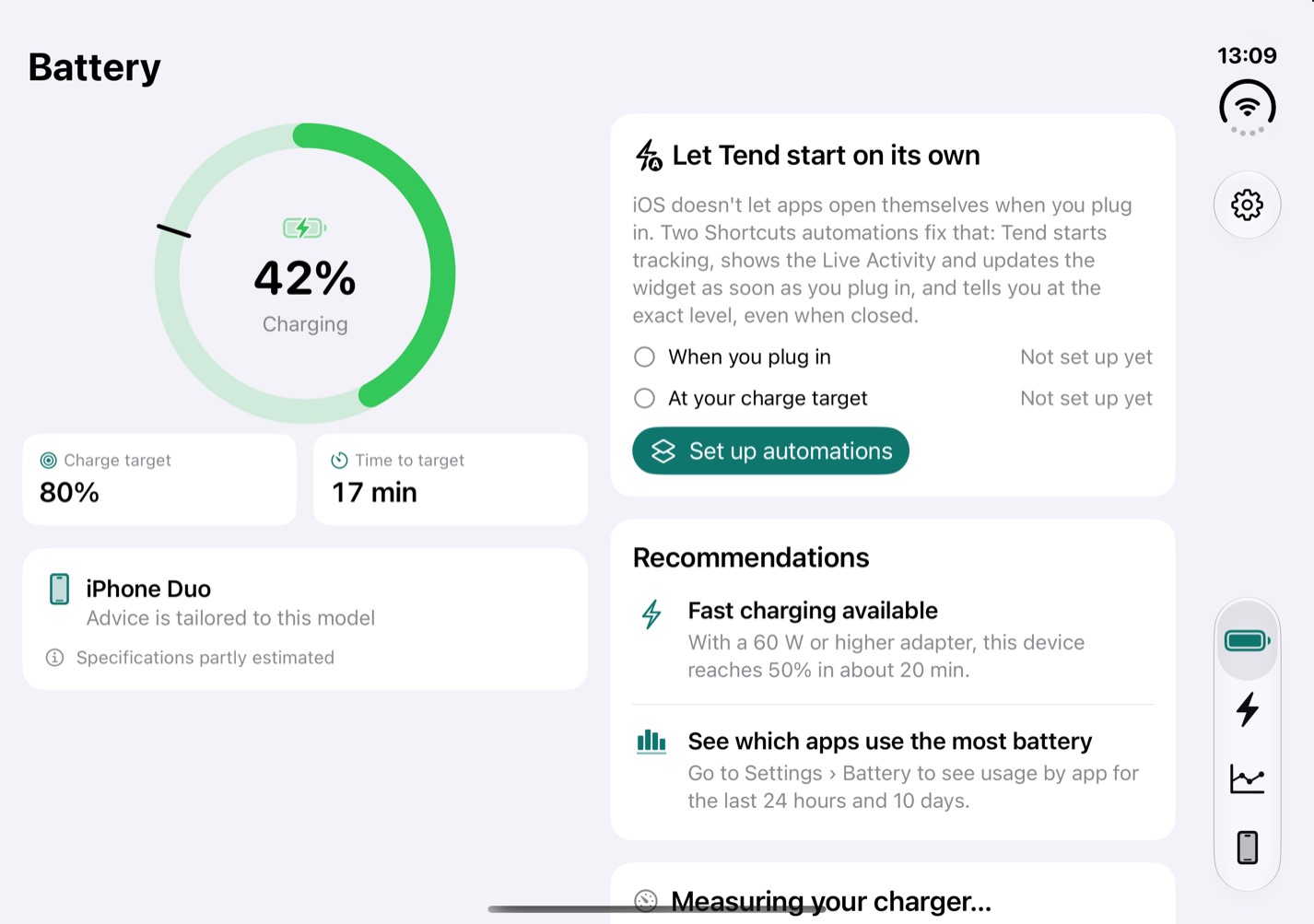
Two columns when you open it, one when you close it, and the tab you were on stays put. On battery, Tend suggests folding: Apple rates the outer screen at 44 hours of video against 31 on the inner one.
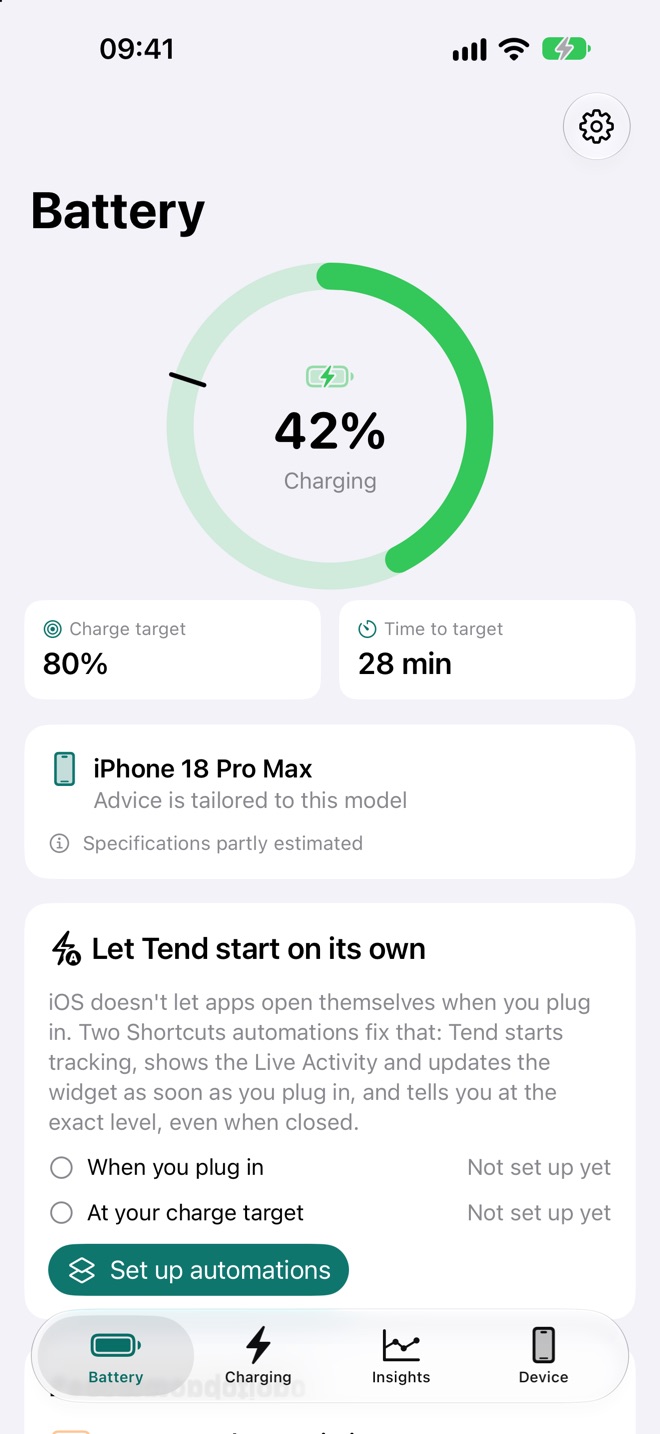
A Live Activity counts down to your target with buttons to snooze or switch off a smart plug. Widgets for the Home Screen, Lock Screen and StandBy, a Control Center control, and Siri and Shortcuts.
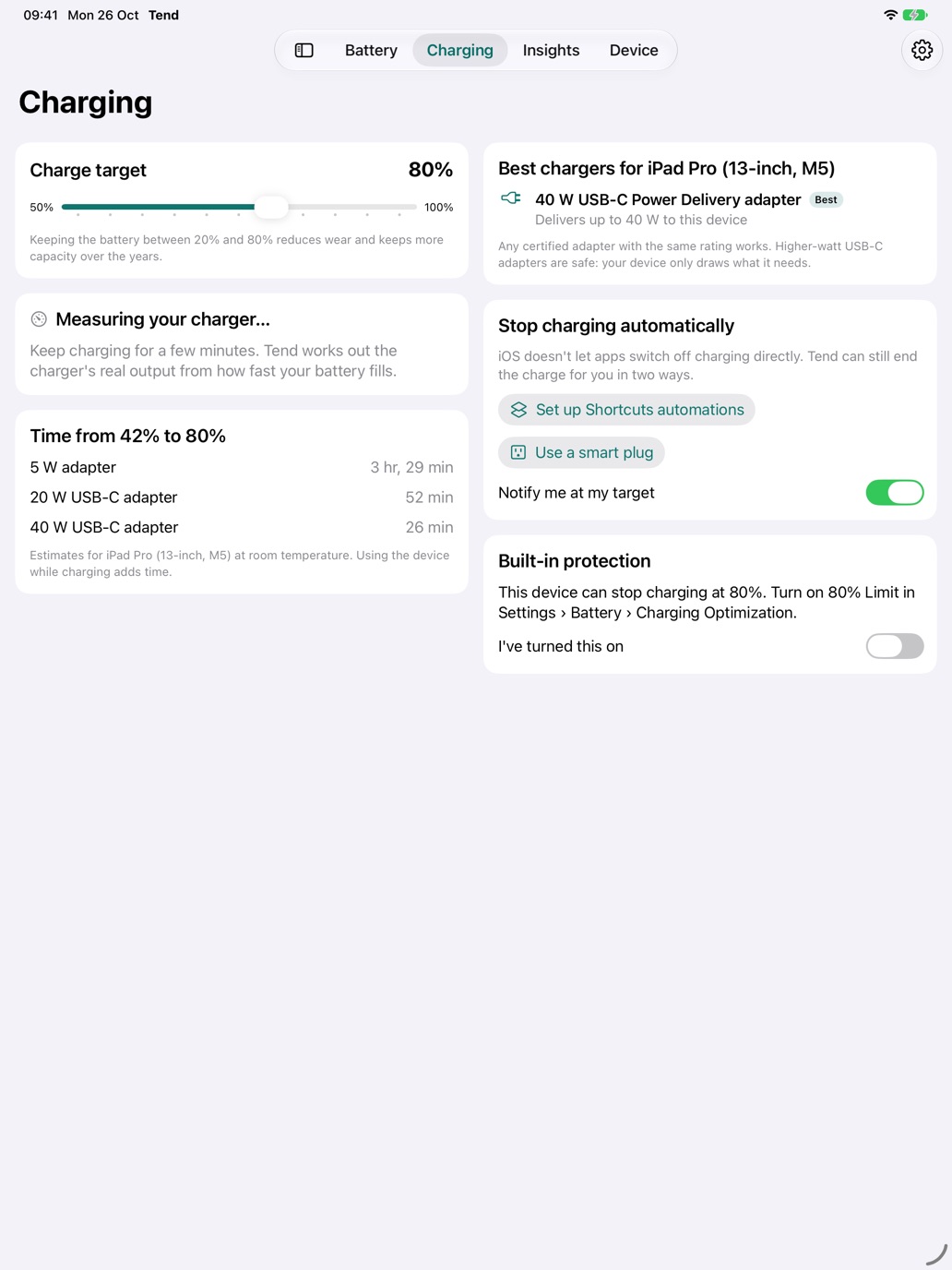
A sidebar, two columns and Split View. Charge target, charger advice and time to target side by side, with multiple windows that each remember where you were.
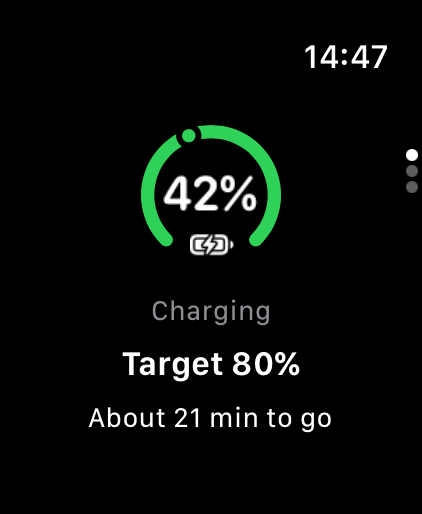
Level, target and time to go at a glance, plus complications. Covers every Apple Watch, including Series 11, Series 12, SE 3, Ultra 3 and Ultra 4.
04 · MacBook
macOS lets Tend read the battery and the charger exactly, so the Mac app goes further.
Apps and system processes ranked by energy, over the last hour to the last 7 days.
Cycle count, design and full-charge capacity, temperature and voltage, read from the battery itself.
The adapter's watts, volts and amps, so you know whether that USB-C brick is pulling its weight.
Files arriving from Safari, Chrome, Firefox, AirDrop and apps, with speed and progress.
Old simulators, Xcode caches, installers and firmware, explained before anything goes to the Trash.
A menu bar extra, native Touch Bar, desktop widgets and Siri.
macOS 13 or later · Apple silicon and Intel · Notarized by Apple
Tend runs entirely on your device. No account, no analytics and no tracking. Your charging history stays in one file on your device, excluded from backups, and you can erase it from Settings at any time. Tend is free, with small ads from Google that are never personalised.
Tracking across appsNone, ever
For everyday use, keeping the battery between about 20% and 80% reduces wear and keeps more capacity over the years. Charge to 100% when you need the full range, such as a long day out. Tend lets you pick a target and tells you when you reach it.
No app can switch off an iPhone's charging directly; iOS doesn't allow it. Recent iPhones have a built-in charge limit in Settings › Battery › Charging. Tend adds an alert at any level you choose, can switch off a HomeKit or Matter smart plug, and can run Shortcuts automations so it starts tracking as soon as you plug in.
Yes. Tend recognises the foldable iPhone Duo, adapts its layout when you fold and unfold it, and suggests folding when you're on battery because the outer screen uses less power.
Tend's catalogue covers 178 Apple models from 2012 to 2026: iPhone (including iPhone 18 Pro and iPhone Duo), iPad, Apple Watch (including Ultra 4) and MacBook. Advice is tailored to the exact model it runs on.
Tend keeps everything it learns about your battery on your device, with no accounts, analytics or tracking, and you can delete it in Settings. Tend is free and shows small ads from Google that are never personalised; Google's ad software uses limited device and usage data to deliver and measure those ads, which isn't linked to you or used to track you.
On a Mac, Tend reads the adapter's exact watts, volts and amps. On iPhone and iPad, where apps can't read the charger, Tend measures how fast the battery fills and compares that with what your exact model can take.

iPhone, iPad and iPhone Duo with iOS 16.2 or later · Apple Watch · macOS 13 or later
Coming next from tenddevice.com
One hub that keeps your context in your own iCloud or Google account and sends each task to the right AI tool or agent. In development.